AI Second Brains at Work: How to Turn Daily Chaos into a System
We’ve hit the point where “just work harder” doesn’t work anymore.
Slack never stops, meetings multiply, documentation lives in ten different tools, and every week there’s a new AI app promising to fix everything. No wonder most teams feel like they’re running on tab overload.
That’s where the idea of an AI second brain comes in: a system where AI helps you capture, connect, and use information so you can think more clearly, make better decisions, and ship faster—without burning out.
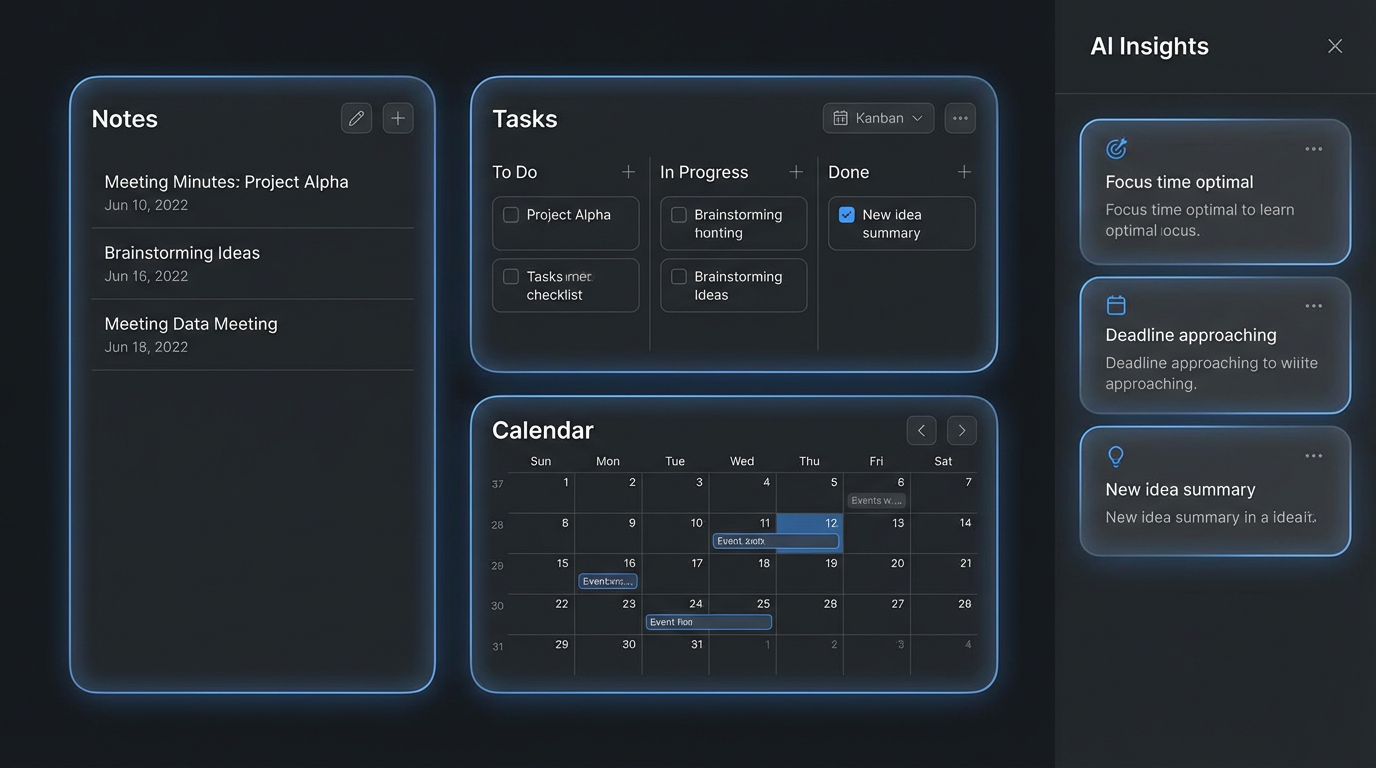
In this article, we’ll walk through what an AI second brain is, how to build one that actually works at work, and concrete workflows you can implement this week—as a founder, leader, or individual contributor.
What Is an AI Second Brain (And What It’s Not)
The term “second brain” originally came from knowledge management and personal productivity circles: a trusted external system that remembers things so your biological brain doesn’t have to.
An AI second brain at work is that idea, upgraded:
A connected system where AI helps you capture, organize, and retrieve information across tools, then suggests actions and insights so you can focus on judgment, creativity, and leadership.
It’s not:
- Yet another random notes app you’ll abandon in two weeks
- A magic robot that “does your job for you”
- A black box where all your company knowledge disappears
A good system feels more like a partner: it surfaces context when you need it, remembers decisions, and quietly cleans up the mess in the background. Think augmented intelligence, not replacement.
Why Everyone Is Suddenly Talking About “Second Brains”
A few things converged in the last 18–24 months:
- LLMs got good at language and context – Summarizing meetings, rewriting notes, and answering “what did we decide about X?” is finally realistic.
- AI agents and automation matured – Tools can now chain actions: read docs, call APIs, update tasks, notify people.
- Enterprise search improved – Search across emails, docs, chat, tickets, and wikis is becoming standard instead of a luxury.
For remote-first and distributed teams (like we already talk about in our article on remote-first culture), this isn’t a nice-to-have anymore—it’s the difference between signal and permanent noise.
The 5 Principles of a Healthy AI Second Brain
Before we jump into tools, it’s useful to define what “good” looks like. The specific stack can change; the principles shouldn’t.
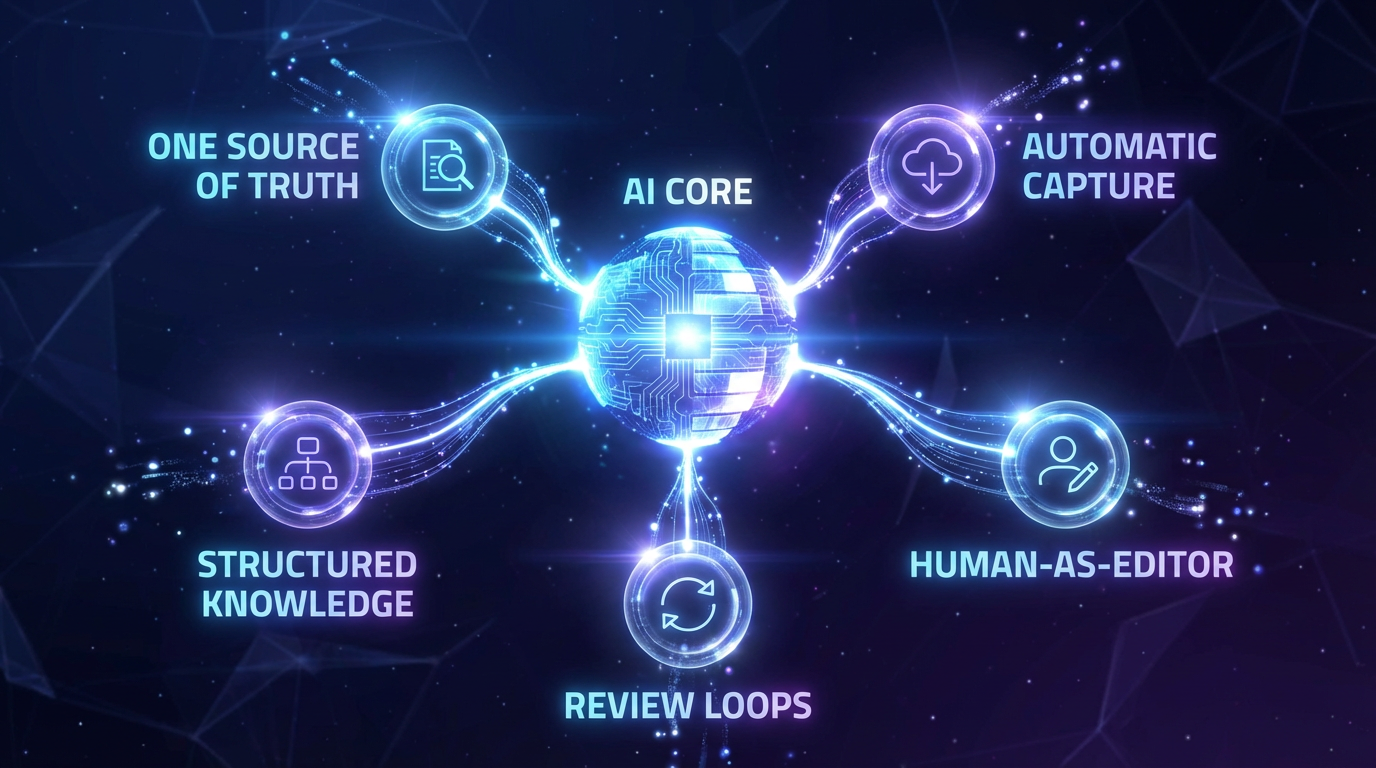
1. One Source of Truth (Even If the Data Lives Everywhere)
Your data will always live in many places (email, Notion, GitHub, CRM, Figma…).
Your second brain needs one hub where you access that knowledge and ask questions.
That “hub” might be:
- A central wiki (Notion, Confluence, Obsidian Sync)
- A custom internal tool backed by a vector database
- A chat-style AI interface wired into your systems
The key: people know where to go when they’re lost.
2. Automatic Capture, Minimal Friction
If you have to manually copy-paste everything, the system will die in a week.
Automate capture wherever possible:
- Meeting recordings → automatic transcripts → summarized into key decisions
- Slack / Teams threads → “bookmark to second brain” with one click
- Docs and PRDs → auto-tagged and chunked for search
- Support tickets & customer calls → summarized insights and recurring themes
Your brain is for thinking, not for “where did I save that link?”.
3. Structured Enough to Be Searchable
AI is forgiving, but it’s not magic. The more structure you give it, the better it performs:
- Project tags (e.g.
#menuino,#zpro-client-a) - Status labels (
idea,in-progress,shipped,archived) - Ownership (
DRI: Jane,Team: Platform) - Domains (
engineering,growth,ops)
You don’t need a PhD in taxonomy—just a simple, consistent tagging scheme that AI can use to filter and prioritize.
4. AI as Co-Pilot, Human as Editor
In our earlier article on AI in business beyond automation we talk about AI as an augmentation layer, not a replacement.
Same here:
- AI drafts summaries; humans correct critical details
- AI proposes next steps; humans pick, merge, or reject
- AI suggests patterns; humans decide what matters
Think of it like a super-fast junior analyst: brilliant at synthesis, terrible at owning final decisions.
5. Daily & Weekly Review Loops
Any system decays without review.
To keep your second brain sharp:
Daily (5–10 minutes)
- What did we decide today?
- What follow-ups did we create?
- What did we learn that’s worth saving?
Weekly (20–30 minutes)
- Which recurring issues keep popping up?
- Which docs are becoming “source of truth” and need polishing?
- Where are we still copy-pasting the same answers (= automation opportunity)?
Your second brain is a living system, not a static knowledge graveyard.
Step-by-Step: How to Build an AI Second Brain for Work
You can implement this in layers. Here’s a practical roadmap you can use as a founder, CTO, or team lead.
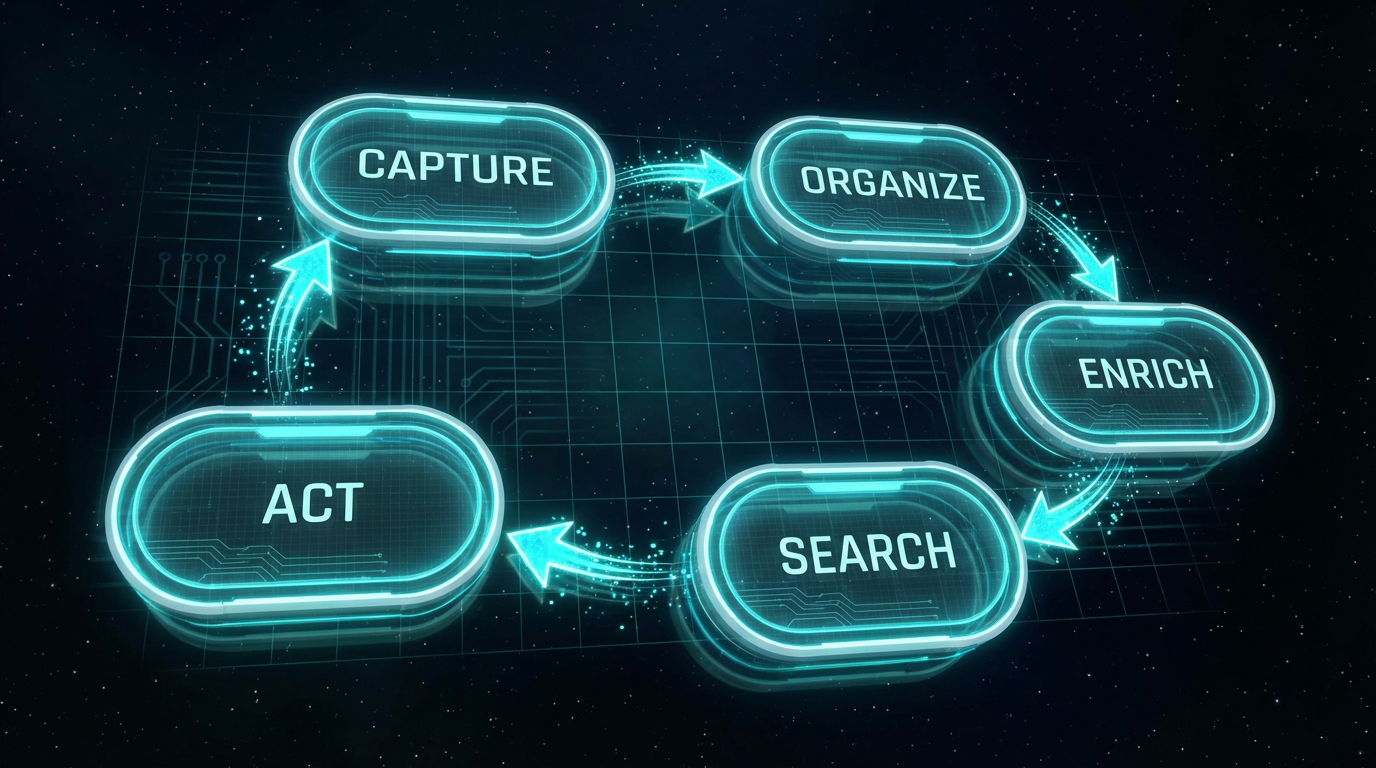
Step 1: Pick Your Hub
Choose one place where people start:
- For small teams: Notion + an AI assistant, or an Obsidian vault synced via cloud
- For more technical orgs: a custom Next.js app with Supabase / Postgres + an embedding store
- For enterprises: your existing intranet or knowledge base, extended with AI search
Minimum requirements:
- Fast, global search
- Ability to embed AI (via API or built-in)
- Easy permissions and sharing
Don’t overthink it. You can always refactor later—as long as everyone knows what “the hub” is.
Step 2: Connect Your Inputs
Start with the highest-leverage input streams:
Meetings
- Auto-record & transcribe key calls (strategy, architecture, sales, retros).
- Use AI to extract: decisions, owners, deadlines, risks, and open questions.
- Save into your hub in a standard template.
Slack / Teams
- Set up a
/saveor reaction (⭐) that sends threads to your hub. - Auto-summarize long discussions into “what we decided + why”.
Docs, Specs, PRDs
- Connect your document store (Google Drive, Notion, Confluence).
- Index everything into embeddings so you can ask natural-language questions across them.
Customer Signals
- Pipe in CRM notes, support tickets, and customer interviews.
- Auto-tag by theme (billing, UX, onboarding, performance, etc.).
The goal: zero-friction capture at the moment information is created.
Step 3: Design Core Workflows (Not Just a Search Box)
Search is great, but workflows are where second brains become addictive.
Here are a few you can implement quickly.
Workflow 1: “Morning Briefing” for Founders & Leads
Prompt your AI assistant with something like:
“Summarize everything important for me since yesterday across meetings, Slack, and docs.
Group by:
- Critical decisions
- Blockers / risks
- Customer feedback
- Things I need to respond to personally.”
Use this as your control tower instead of aimlessly opening every tool.
Workflow 2: “What Did We Decide About…?”
Instead of searching message history for 10 minutes:
“Find the latest decisions related to [topic / project], including:
- the decision
- the reasoning
- the people involved
- links to source threads or documents.”
This is especially powerful for remote-first teams who can’t just “ask the person next to them”.
Workflow 3: “One-Pager Generator”
For any messy initiative:
“Turn all available notes, Slack threads, tickets and docs related to [project] into a single, opinionated one-pager.
Structure it as:
- Problem
- Context & constraints
- Options considered
- Recommended approach
- Open questions.”
You can then review, edit, and share this with stakeholders instead of forwarding a jungle of links.
Workflow 4: “New Hire Onboarding in 30 Minutes”
Instead of drowning new people in links, create an onboarding pack:
“Create a personalized onboarding brief for a new [role] joining the [team].
Include:
- Top 10 documents they should read (with one-sentence explanations)
- Key systems and how they connect
- Glossary of internal acronyms and project names
- The 5 most important decisions made in the last 90 days.”
This is where an AI second brain stops being “nice” and becomes compounded leverage.
Security, Privacy & Ownership: The Non-Negotiables
As AI, Web3, and decentralized infrastructure converge, questions of identity and ownership are becoming central.
When you build an AI second brain for your org, you need to be deliberate about:
- Where the data lives – self-hosted vs vendor cloud
- Who can access what – RBAC, field-level security, audit logs
- Which models you use – private instances vs public APIs
- Retention policies – how long data stays in the system and how it’s deleted
A few practical guidelines:
- Treat your second brain like any other critical system (CRM, Git, HRIS).
- Involve your security & legal people early, not at the end.
- Make it very clear what is and isn’t allowed to be sent to external AI tools.
- If possible, use self-hosted or enterprise-grade models for sensitive data.
Common Mistakes (And How to Avoid Them)
Even smart teams mess this up. Here are the traps we see most often.
1. “We’ll Just Install Tool X”
No tool can fix a bad process.
Start with workflows and questions you want answered, then pick tools that support them. If you flip that order, you’ll end up with five overlapping AI products and no adoption.
2. No Ownership
If nobody owns the second brain, it becomes a dumping ground.
Assign a steward (or small group) responsible for:
- Template quality
- Tagging taxonomies
- Periodic cleanup
- Training the team on how to use it
3. No Human Review on High-Stakes Outputs
Let AI draft, summarize, and suggest.
But for anything affecting money, contracts, security, or people, keep a human review layer.
This isn’t just an ethics issue—it’s also about trust. If people get burned once by a wrong answer, they’ll stop using the system.
4. Forgetting the Human Side
An AI second brain is as much culture as technology.
- Reward people for documenting decisions.
- Make it normal to say “Let me check what the system says.”
- Teach people how to ask good questions and prompts.
- Share success stories: “This saved us X hours / avoided Y mistake.”
What This Looks Like in Practice (A Small-Team Example)
Imagine a 10–15 person product studio:
Hub
- Notion workspace with AI enabled + a custom internal search UI.
Capture
- Zoom calls auto-pushed to Notion with AI summaries
- Slack threads saved via reaction → auto-summarized
- GitHub PRs and issues indexed for search
Workflows
- Morning briefing for the founder
- Weekly “customer pulse” summary from tickets & calls
- One-pager generator for each new project
Review
- Friday 20-minute “what did we learn?” ritual
- Monthly clean-up + tagging session
Result after a few months:
- Fewer “what did we decide?” pings
- Faster onboarding
- Better visibility on recurring issues
- More time spent on deep work instead of re-explaining the same things
Not because of one magic tool—but because of a system.
Where This Is Going Next
We’re still early. Over the next few years, expect your AI second brain to:
- Move from “chatbot” to “multi-agent teammate” that can plan, execute and report back
- Integrate identity and ownership in deeper ways (who owns what knowledge, reputation, and contributions)
- Blur the line between personal productivity and organizational intelligence
The companies that win won’t be the ones with the most AI tools installed.
They’ll be the ones who design clear workflows, respect privacy, invest in culture, and treat AI as a leverage multiplier for humans—not as a replacement.

If You Want Help Designing Your AI Operating System
At Zdravevski Professionals, we help teams design and implement practical AI operating systems—from architecture and tooling to workflows, training, and change management.
If you’re staring at a wall of tools and don’t know where to start, we can help you:
- Map your current information chaos
- Design a second-brain architecture that fits your stack
- Implement high-leverage workflows and automations
- Train your team to actually use (and trust) the system
👉 Get in touch with us and let’s turn your daily chaos into a system that works with you, not against you.